Table of Contents
Open Table of Contents
Highlighting Text Without Writing A Custom Lexer
Pygments is a cool project and lexers already exists for pretty much every language you may need. I
hardly ever need to highlight source files though since despite how I’ve made it seem, opening an
editor is almost always the appropriate action. What I do need though is highlighting for any
command that produces a large amount of text which in my case is typically the output of cower -s.
cower is a tool that allows you to search for and download packages from the Arch User Repository. It doesn’t have as many features as some of the other tools but works well and stays out of your way. Here’s how the output typically looks:
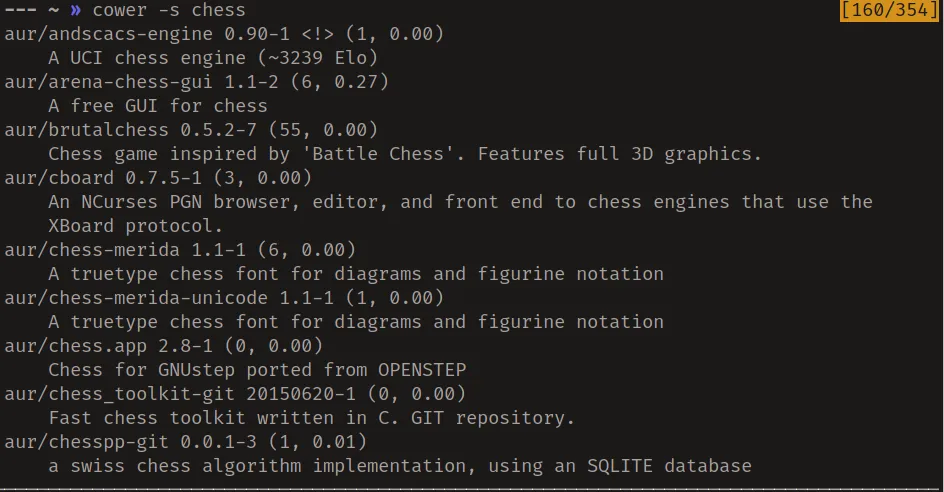
As you can see it can be kind of hard to find exactly what you need in all the text produced so I started thinking of a way to use pygments without first having to define a custom lexer.
The Script
Pygments has a tutorial on their website describing how to write a lexer that was very useful
in writing this script. I will omit most of the set-up code which you can see in the gist with
the full version of the script and only include the main function.
def main():
    global groups
    parser = argparse.ArgumentParser()
    parser.add_argument('-p', '--pattern', dest='patterns', nargs='+')
    args = parser.parse_args()
The first part of the main function indicates the usage of a global variable groups which is a
list of the custom pygments tokens I created for use in this script. Next is instantiation of the
argument parser which takes at least one regular expression to use for highlighting
(nargs='+') and puts them in a list.
    class CustomLexer(RegexLexer):
        name = 'rcolor'
        tokens = { 'root' : list(zip(args.patterns,
				      itertools.cycle(groups))) }

    text = sys.stdin.read()
    result = pygments.highlight(text, CustomLexer(),
            Terminal256Formatter(style=RegexStyle))
    print(result)

    return 0
As per the instructions on how to create a lexer, we create a sub-class of RegexLexer with the
regular expressions passed in by the user. This is done simply by setting the root value to a list
of tuples of the form (regex_string, token_group). In our case the regular expressions are
specified by the user on the command line and are in a list args.patterns.
itertools.cycle ensures that all the regular expression are assigned a group for colouring even if
we need to reuse the groups. Finally since this script is meant to be used to colour output from any
given command, we read input from stdin.
All that’s left is to highlight the text with our custom lexer and ensure the output produced is tailored to the terminal. Here’s what the end result looks like:
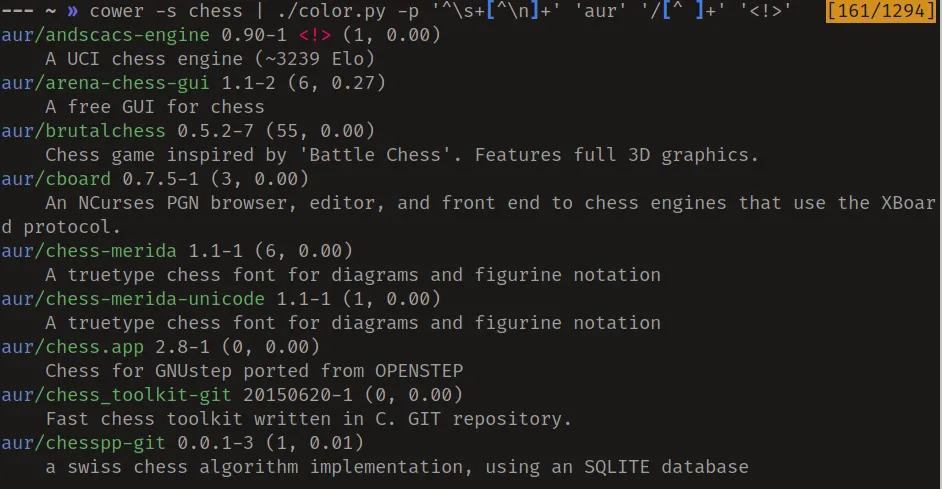
Looks a lot nicer doesn’t it?
Going Further
Before starting this article I did not know of the existence several programs that do essentially the same thing. A list can be found on the Arch wiki.