UI Overview
Main View
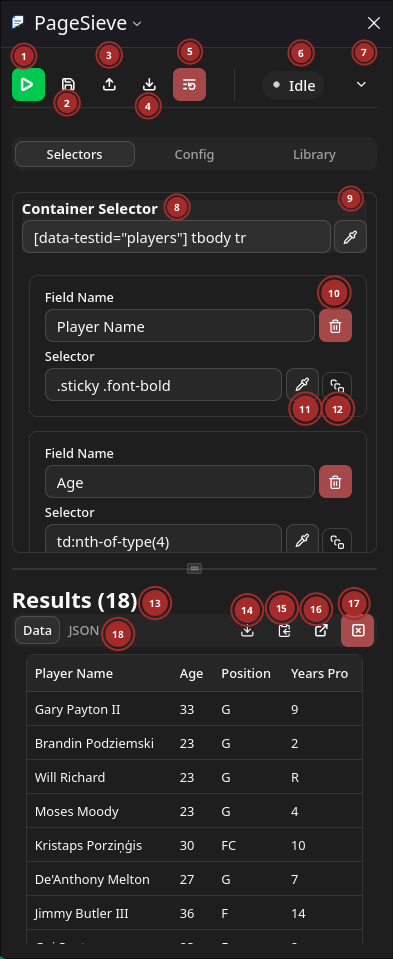
- Run config
- Save config to browser storage
- Load config to from a file
- Save config to a file.
- Add selector group. Useful for extracting different data from same page.
- Menu with more actions
- Reset defined fields.
- Status indicator. Statuses are defined in
src/types.ts - Show logs.
- Collapse selector group
- Selector group name user editable
- Rename selector group
- Delete selector group
- Selector for container for individual items.
- Start interactive element picker for element container.
- Delete field.
- Start interactive element picker.
- Switch to array extraction for this field.
- Results section.
- Show results as JSON
- Download extracted data
- Copy extracted data
- Show results in a fullpage
- Clear results
- Collapse results for a selector group
Config View
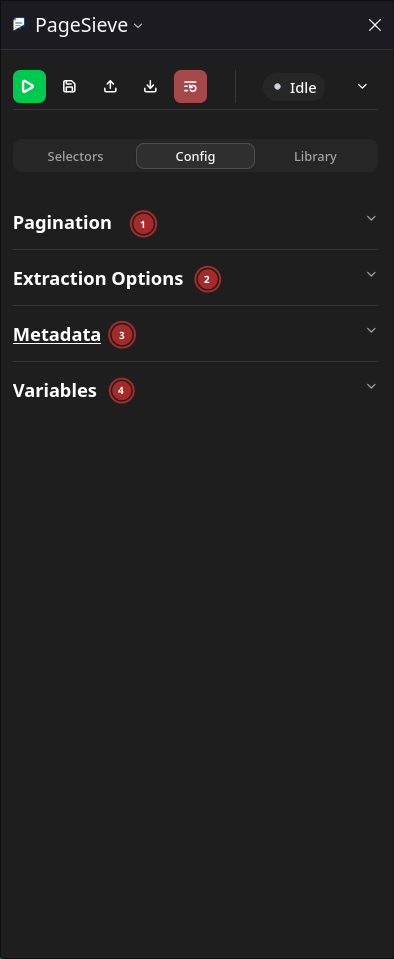
- Pagination section. See
src/types:PaginationConfigfor definition. - Extraction options section. See
src/types:ExtractionOptionsfor definition. - Metadata section. See
src/types:Metadatafor definition. - Variables section. Not implemented
Pagination Section
None pagination. This is the default.
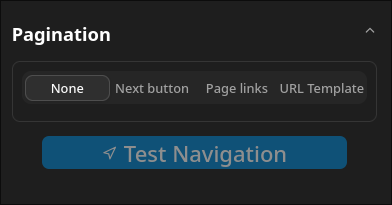
Next button pagination. Element is triggered with .click() during navigation.
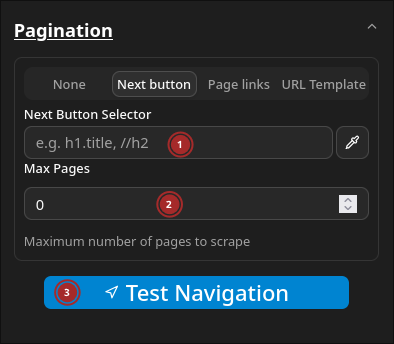
- Selector for next button.
- Maximum number of pages to navigate.
- Test navigation by moving to the next page.
Page links pagination.
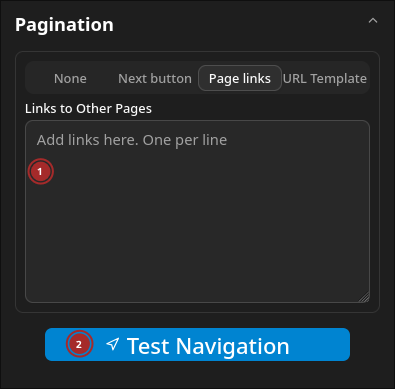
- Input for links to navigate to. One per line
- Test navigation by moving to the next page.
URL template pagination.
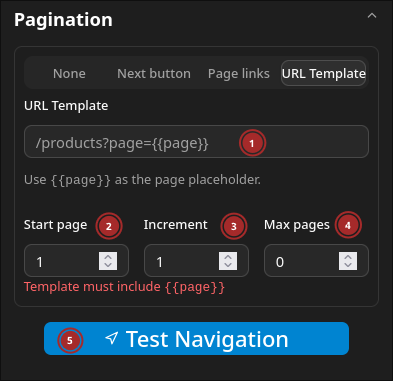
- Input for URL template. The template is used to create the URL for the next page.
- Start page number
- Increment
- Maximum number of pages to scrape
Library View
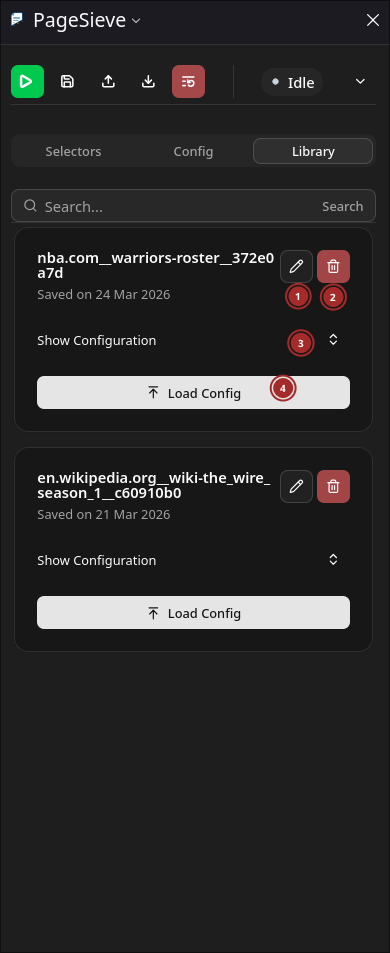
- Rename saved configuration.
- Delete saved configuration.
- Show JSON configuration
- Load configuration into sidebar
Fullpage Results
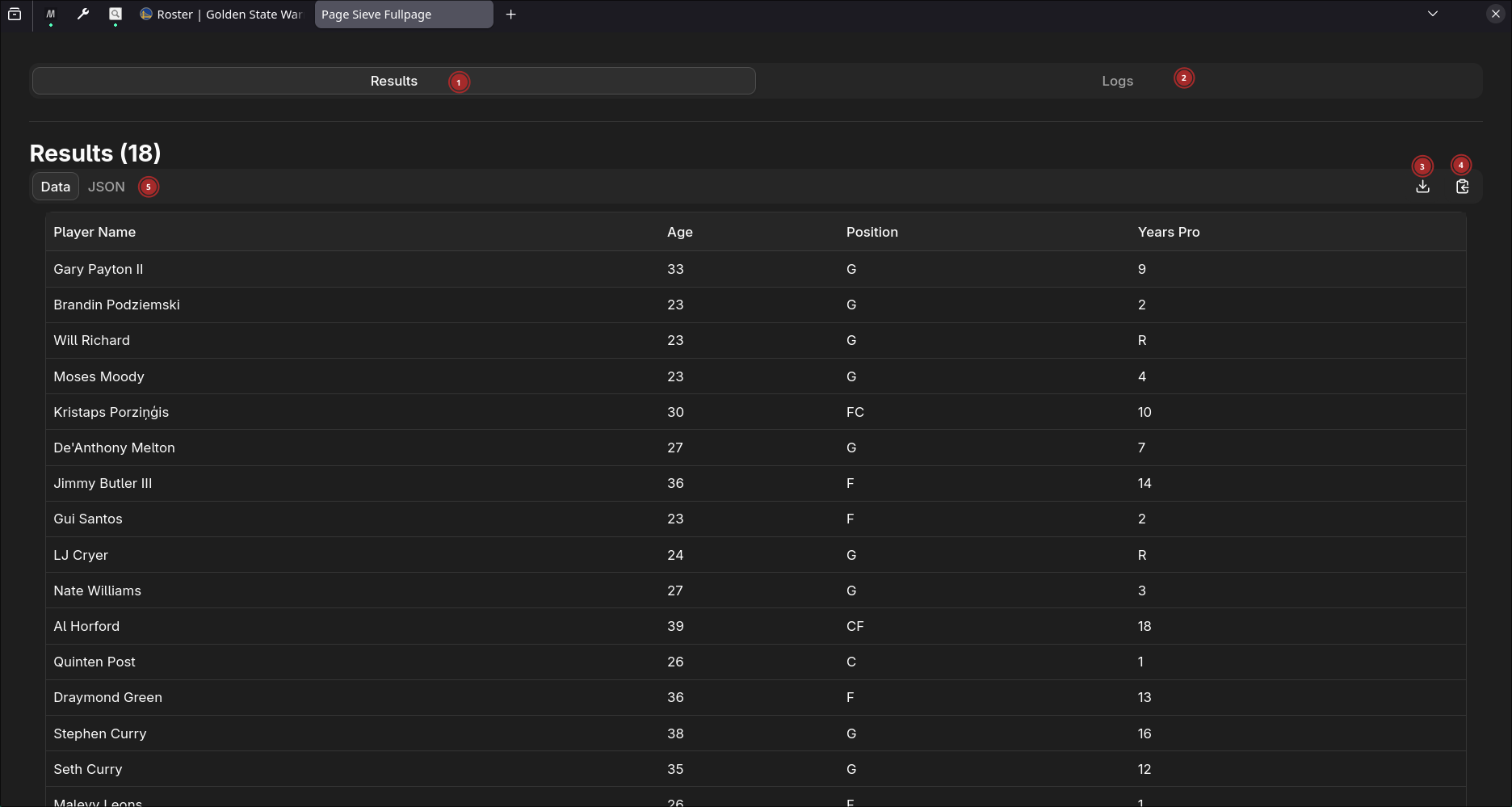
- Results tab
- Logs tab
- JSON data tab
- Download results data in different formats
- Copy results data in different formats